Final Web Comic: Erika Epperson

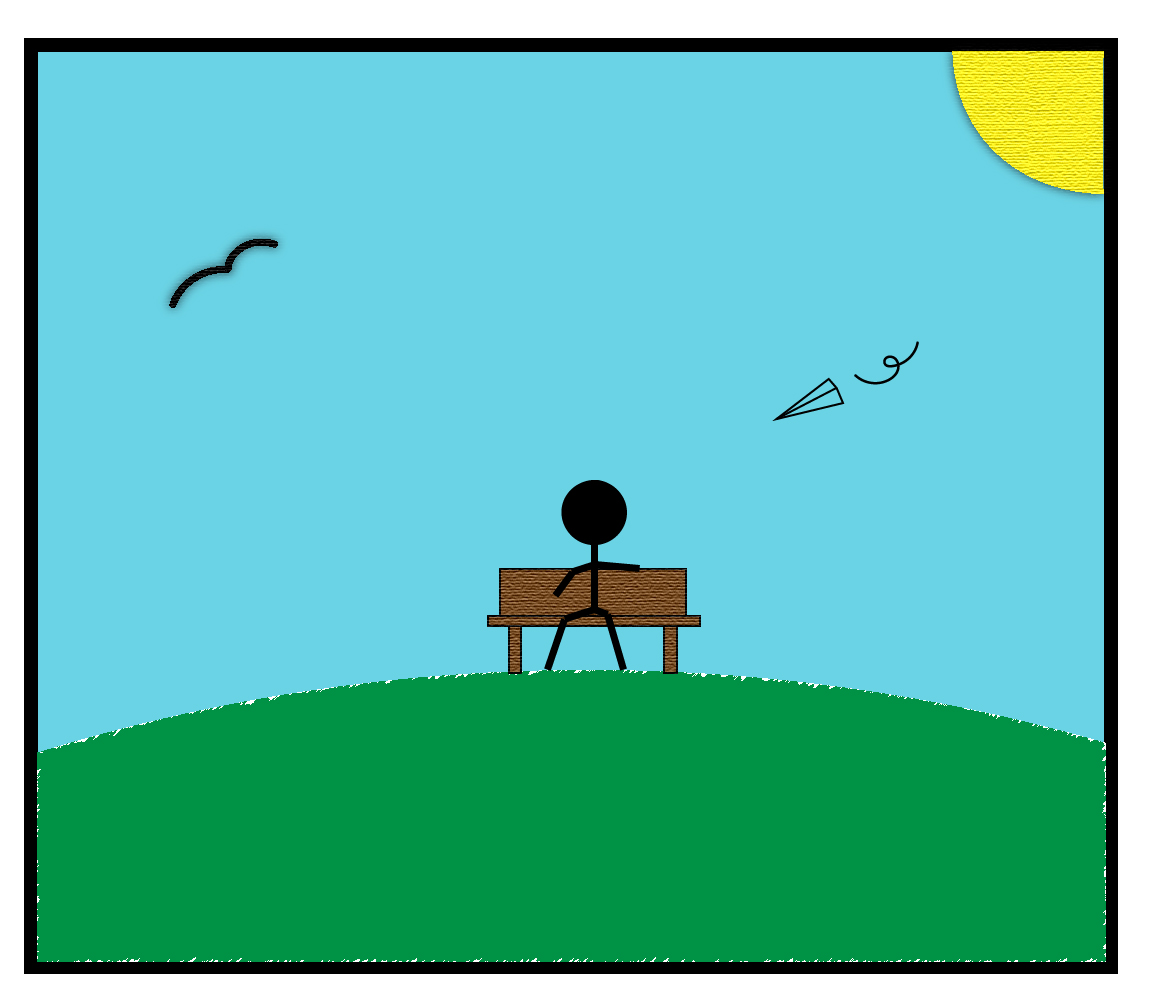
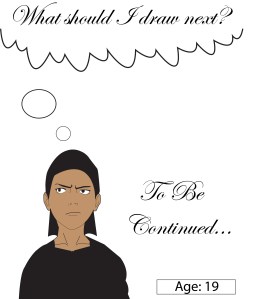
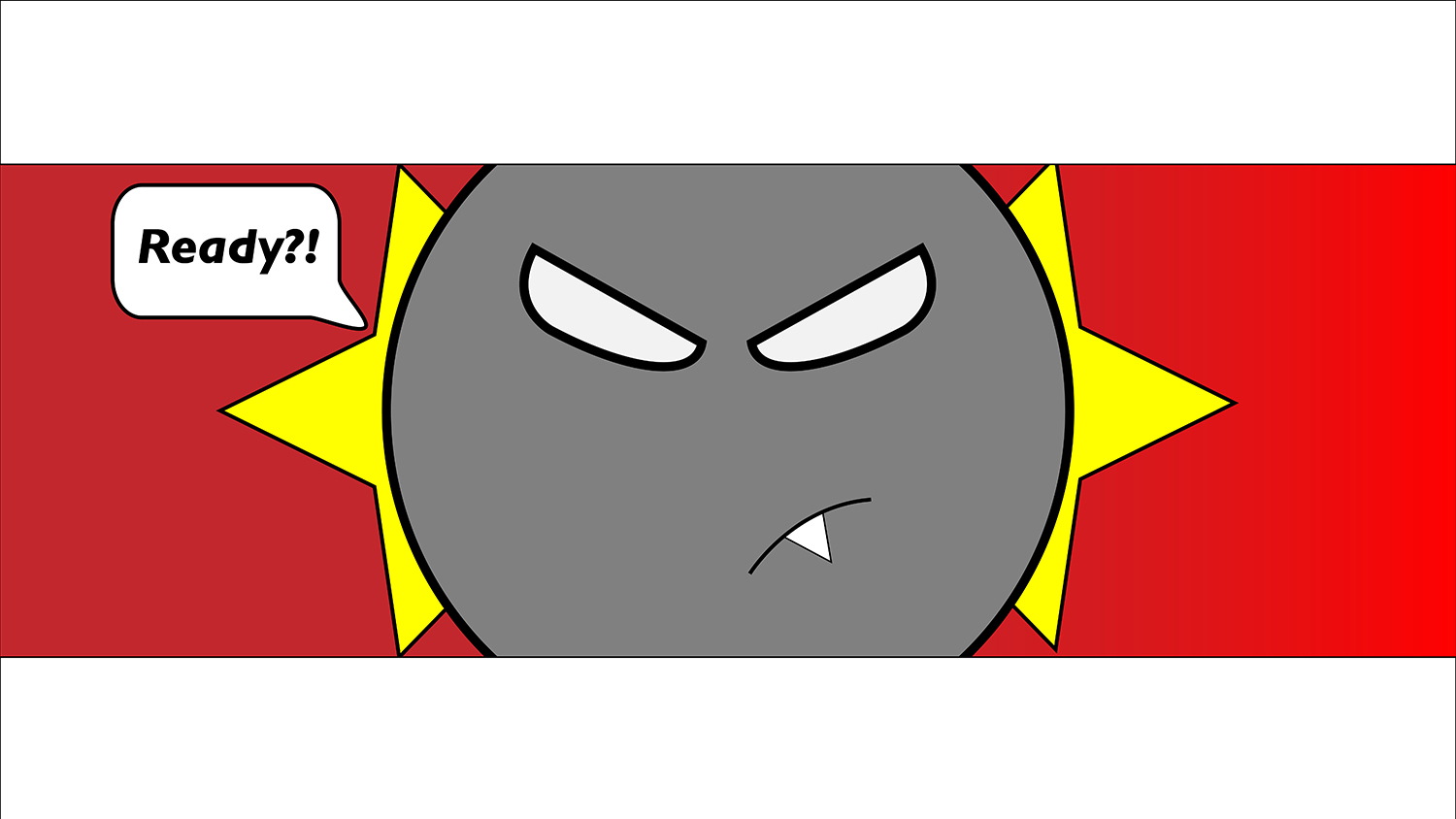
For my comic I wanted to try a gif because I really liked how Eroyn Franklin’s comics looked. I was inspired by it. I also felt like the gif was something we haven’t really had chance to do yet in class since this we can only view gifs through web and it was the first time doing web comics, but I didn’t think I could do it since I have never made a gif before. I wanted to stick to what I was familiar with, but I’m glad I pushed myself and tried something that was out of my comfort zone. What really helped was the tutorials and that made it easier than I initially thought it was going to be. I wanted to guide the audience by making a gif that looks like a constant loop from day to night, and then night to day. I wanted to create a continuous cycle to show how time just keeps moving forward and how fast the days actually pass by without realizing it sometimes. By showing a gif that seems like there isn’t really a beginning or an end I wanted to showcase that. I feel like my comic doesn’t really change much with the different devices, besides the size difference since there is no scrolling needed. I think Scott McCloud would agree that even if it’s a a gif it still fits the definition of what a comic is. There is still a sequence of pictorial images that conveys an aesthetic response even if it’s not a traditional comic.

24/7/365 by Erika Epperson

I first used illustrator to create the frames because I just wanted to use a program that I had the least experience with. I wanted to expand my knowledge on illustrator. Then after making my frames I used photoshop to make it into a gif. For my website, I decided to just use WordPress because using WordPress to post gifs works just as well as other websites like Wix. It was actually pretty smooth sailing when it came to using a gif file to put onto my website. There really wasn’t any problems with uploading the gif. I learned a lot working with this project. Since I created the different transitions of the sky, I feel like I got way better with the gradient tool in illustrator. If you pause on each frame, the ones with gradient skies, honestly looks like what an actual sunset or sunrise would look like. The one big thing I learned while making this project was on how to make a gif in photoshop. Having this knowledge would come in handy if I ever want to make another gif again. Overall, I really liked making this comic. This was probably my favorite project that we made in this class.

Web Comic: Erika Epperson

Posted in Fall 2019 Archive (201 Blog) | Leave a comment

Web Comic: Erika Epperson

24 / 7 / 365

Posted in Fall 2019 Archive (201 Blog) | Leave a comment

Final Web Comic: Sydney Seay

Within my project, I utilized the possibility of the different ways my project would appear on the web. I was able to control what is shown at the same time for the most part, and also what the general order would be of the images. This, however, is also a limitation because I cannot control exactly what the viewers of my comic will see depending on what device they are using. I used a very high level of closure within my comic because the images do not have to be in any certain order. My reader will interact with my comic through scrolling through the images. I hope they have to scroll back and forth as well to continue to understand the connections the images have. I think Scott McCloud would say I created a comic that fits his definition and that has a high level of closure.

This is the graphic of a lighthouse that I created to symbolize going to the lighthouse in Charleston that I visit often when I am home.

To create my project, I used Illustrator for the things to do in Charleston, but also used Photoshop for my collaged background. I wanted simple, relatable graphics that can be understood and keep the reader’s attention because they can connect to them. I used Photoshop to collage some of the images that I have taken from sunsets in Charleston. I put my comic on a website using the Wix website maker. I used this because it was very user friendly, and I was able to control almost every aspect of what I wanted the website to look like overall. I wanted a very simplistic site because I am still learning so much Illustrator and Photoshop, so Wix worked great. I used the files that I saved as JPEGS for submission to Kristin and then uploaded those onto the website. I learned again how many ways there are to complete simple tasks in Photoshop and Illustrator, and I also got to continue working on my skills in them. I learned how easy it is to use a website template, and what it takes to create a website, as this was my first time doing that as well. The link to my finished website is https://sydneyseay1.wixsite.com/mysite

Posted in Fall 2019 Archive (201 Blog) | Leave a comment

Final Web Comic: Justin Pardini

For my web comic, I initially only had one thing that I wanted to definitely accomplish, which was to create a comic for vertical viewing. I was inspired to create something that would be easily viewed on mobile phones, which is why I thought vertical swiping would be the most effective way to develop a comic. I chose to make it short so that it wasn’t boring or didn’t carry on for too long. I also wanted it to not contain any dialogue, that way it can leave it up to interpretation for the reader. I think the viewer is interested in my comic just by the simplicity of it. Like previous comics before, I chose to not go in depth in making it realistic, but instead made it more imaginary. I thought this would stimulate the viewer’s creative side and would allow for many different scenarios to arise in their minds. This comic can be viewed on either a computer or a phone, wither way it should translate and be understood easily. I think my comic definitely fits into the definition given by Scott McCloud in that it is in sequence and creates an aesthetic environment for the viewer. I think, if Scott McCloud were to view my comic, he would think that it’s simplicity allows for the readers to think or multiple different outcomes and ways that certain things occurred, which gives stimulation to their minds and allows them to remain entranced by it.

For this comic, I chose to use Adobe Illustrator. I felt more comfortable using this, as I have a little more experience with it and it’s uses, rather then Photoshop. I think Illustrator gives me more ability to create comics that look hand-made, and give me that simplistic look that I was striving to achieve. I also enjoy using the paintbrush and think it is a very versatile and important piece to comic creation. At first, I attempted to create my own website, however, I found I didn’t need to for the type of content I was presenting. Because my comic is seamlessly shown frame-by-frame in a vertical fashion, I felt no need to create a site from scratch. Instead, I chose to use Wix to choose a template and present my piece through their system. This created the perfect site for me and allowed my to adjust and make changes to the page easily. It also made it easy for me to choose different colors and fonts that I wanted on the website, which would have been much more difficult if I were to have made a site myself. I was able to upload my comic as a JPEG to my website, then change the size to make it take up more room on the website. This process helped me learn a lot more about Illustrator than I previously was aware of. I learned how to create more abstract shapes easily, as well as included different textures that can create images that look more life-like, or even more comic-like. I also learned how to explore more color options for backgrounds which helped me pick combinations that were useful to my comic

https://justinpardini.wixsite.com/airplane


The Airplane (Frame 1)

Posted in Fall 2019 Archive (201 Blog) | Leave a comment

Web Comic Final: Elora Buschini

My original idea came to me when we were discussing how to navigate around a website. I knew that I wanted to utilize the scrolling element. This led me to the idea of something flying, or more so falling as you scrolled down the page. I decided to use characters from a previous project of mine. I did this to continue their story, using a new medium and was able to easily involve my scrolling idea. My viewer is supposed to view my comic by just scrolling top to bottom. They will be an able to interact by how they scroll, I set up my website to have large images that take up most of the screen, this way the viewer only sees one thing at a time. The speed of how fast they scroll could determine how much airtime the characters have. The view a cell phone would have would be different because you would be able to see more than one image at a time. The story still follows the same because it is still displayed in the same sequence. I think that my comic would be considered a comic to Scott McCloud because it has images that are viewed in a deliberate sequence that is able to convey information.

I used illustrator because I was inspired by a previous project. I made an animated short film and designed the characters in illustrator for the beginning and ending credits. Since I had already came up with an idea for how I wanted my site to work, I used them as the characters in the story. I used Wix to display my comic just because I have used it before and knew I would be able to achieve the basic lay out I needed. I enjoyed using Wix because it made it easy to arrange my images to be the way I wanted to them. I also was able to add text directly from Wix rather than illustrator of photoshop. If I had wanted a specific font, I would have need to use illustrator, but this allowed me to use “animations” to have my text transition in. This added an additional element of movement that draws the eye in more. So I was happily surprised when I discovered I could implement it into my project. I made each image I was using for my site on a separate artboard. This made it very simple to be able to export for screens. After exporting all my files to be formatted for screen use, Wix had an upload from computer button. Then I could place all the artboards separately where I wanted them. Something that I learned from this project is using multiple artboards at the same time. This let me work on the individual images and make sure they all matched. It made it simple for having all my color swatches in one place. Usually I would have just made a file for each image, which would just be unnecessary.flying solo final

Posted in Fall 2019 Archive (201 Blog), Uncategorized | Leave a comment

Final Web Comic: Janet Okeago

On my first creation of my web comic i decided to write about Christmas which is a holiday we celebrate at the End of the year. I was interested in Santa clause clothing and i thought of what if i made my own? and as we look around its Christmas season where we get to celebrate with our families and sharing with the less fortunate. At first i thought it would be hard to just make one of the picture that will be appealing to people and attractive. I knew it would also take me a lot of time to make from the beginning, which i later on started enjoying forming the shapes on illustrator because i had a variety of tools to make the face and adjusting them compared to Photoshop.


https://jkwamboka92.wixsite.com/okeagojanet

As i was making my web comic, a couple of ideas displaying my web comic inspired me  just by uploading and how the file on the website looks after the final touches. I also realized that i can’t edit some thing on a web comic after am done with my work unless i start all over again.  I was limited to use a saved illustrator file to upload my comic on the website which was again not what i expected after long hours working on the web comic.

The reason i chose Wix to display my website was that it looked appealing to my viewers and they can click on the allow to move to the next page. there are some things that you cant edit on Wix since it is a site used by many unless you have your own account with them. I also think if my web comic is viewed in different devices, the panels are going to be smaller where you can click on the arrow to go to the next page which is clear what to do next. According to Scott McCloud the juxtaposition of my comic elaborates how the effect of colors i used can clearly be seen and the placement of the shapes to come up with such a great combination.The panels are also placed in a position where the reader can identify what the comic is all about

I pretty much used illustrator because it game me a variety of shape tools to use while while making my web comics i feel like i prefer it compared to Photoshop. and since i do not know how to use css and Html i used Wix to upload my web comic and it wasn’t that complicated because i used it in my DTC 101 class. I edited the pictures that were displayed on wix, and since i couldn’t use the saved illustrator file, i uploaded the jpeg files on Wix and they gave me an alternative to arrange them by page . after am done i had to click on publish then preview to go on my web comic where i can click from first page to the last.

During my project i learnt more details on using the property and forming layers and also dragging some shapes on the layers if something is on top of the other. and since i used the mac computer i was able to know how to copy and paste using command C and Command F, zooming the pictures whenever its not clear whatever am adding.

Posted in Fall 2019 Archive (201 Blog) | Leave a comment

Final Web Comic: Isaiah Wilkerson

For this assignment, I was assigned to write and design a comic that embraced web viewing. I accomplished this assignment by using two different subjects on the left and the right while still serving its purposes of telling a story. I was honestly stuck on how I should make a website interesting because I was too focused on my art rather than learning all the skills I needed to make my personal website, so I chose to use WordPress. It serves its purpose by allowing me to do very basic ways to make a scroller-style web comic that I could still tell my story. I kind of did a combination of a left-to-right and up-to-down comic because one side shows my growth as an artist by showing all the different art I made over the years so people can see how far I’ve come. On the other side, it shows a plant slowly growing into a premature flower, indicating that I still have some growing to do as an artist. I expect my readers to read from left to right but you could also read it up and down. I think Scott McCloud would tell me that I did a very clever way to show my audience my art process as an artist to another. I believe this is my best work in this class, so I believe that I’d get some positive comics about my color choices along with the different strokes and the detail to each character I drew.

I used Illustrator because I wanted my drawings to come out as bold and clear as possible. My art didn’t need any soft lines or any other effects that photoshop contains. I wasn’t able to make my own personal website so I used WordPress instead. However, I do want to learn how to make my own personal website in the future. After seeing everyone’s web comics on Wix, it inspired me to try it myself in the near future. I got these drawings from Illustrator on WordPress by exporting each one as a JPEG and then adding all my work in the media to add on this post. What I’ve learned how to do was add more color to each of my characters and to make my own personal “speech bubbles.” After learning this, it really made my work really stand out and I hope everyone enjoys it!

An Artist’s Growth by: Isaiah Wilkerson

Project 3 - Final pt. 1

First drawing, art by Isaiah Wilkerson, 12/6/19

Project 3 - growth 1

First step, by Isaiah Wilkerson, 12/6/19


Project 3 - Final pt. 2

First complicated, art by Isaiah Wilkerson, 12/6/19


Project 3 - growth 2

Second step, art by Isaiah Wilkerson, 12/6/19


Project 3 - Final pt. 3

First serious, art by Isaiah Wilkerson, 12/6/19


Project 3 - growth 3

Third step, art by Isaiah Wilkerson, 12/6/19

Project 3 - Final pt. 4

What’s next?, art by Isaiah Wilkerson, 12/6/19


Project 3 - growth 4

Fourth Step, art by Isaiah Wilkerson, 12/6/19


Posted in Fall 2019 Archive (201 Blog) | 1 Comment

Web Final Comic: Arron Borja

I was aware of Wix and how I can make a website through that platform. When this assignment was assigned and we were told that our comics had to be on a website, I automatically thought of using Wix . Especially after Kristin explained HTML and CSS, I knew that that type of website builder would not be for me as I have no experience whatsoever with it so, I ended up using Wix.

The technique that I used to guide the reader is through buttons directly in the middle of the comics. It is very hard to miss these buttons and the character guides the reader through text asking them questions where they are able to answer them through pressing the buttons in the middle. My one problem with the buttons however, is that I could not move them precisely where I wanted them. They were sort of stuck right smack dab in the middle. It was okay, though because I was able to make the design of my pages work with it.

My comic is best viewed on computer screens but, Wix has a feature where a mobile readers can read with ease as well. All readers really have to do is interact with the story of the character through pressing buttons.

I think Scott McCloud would say that it’s a very nice way to display a comic through the web. I used lines and stroke effectively, utilized the frames of the comic efficiently and I overall just used a series of juxtaposed pictures to tell a story of a character who was troubled about going to school or not.

In terms of programs, I strictly used Adobe Illustrator for this whole project. I just believe that Illustrator makes it much easier to create and modify shapes and that’s very useful for making comics. I used Wix for my Web Comic. Wix made it really easy to just import my comic pages and link buttons to other scenes. My only problem again, was that I could not move the buttons to exactly where I wanted to. Unless Wix does offer that feature, then I just wasn’t trying hard enough to figure that out. Nonetheless, I am happy with the way my Web Comic turned out and how I made it work with the button placement.

I learned about clipping masks in Illustrator. This is really useful when wanting to make shapes inside of shapes. There is another way around this however, but it would clipping masks, I believe are faster than any other way. In terms of making websites, I just learned how easy it could be to make a website for anything whether it be for an online portfolio or resume, adding content is super easy.


Link to my Web Comic:

https://aborja4412.wixsite.com/dtc201webcomic


Posted in Fall 2019 Archive (201 Blog) | Leave a comment

Final Web Comic: Grace Kannberg

My creative plan for my comic was to make an interactive experience that is both creative and unique for the viewer. This is why I chose to use Illustrator and Wix for my project three comic. I felt as though these two platforms would help me best in making the comic and designing the layout for web viewing. Illustrator allowed me to create the comic that I had in my head that wasn’t limited to items I could find, like Photoshop would have. Using Illustrator, I felt that Wix would allow me to upload the panels I had created easily.

This is the first time I have used the templates in Wix to create a webpage. Overall, I felt that the experience was fun and helped me get a better understanding of how to publish professional websites.

Some current possibilities of web pretentions that inspired me were the capability to scroll down. After looking at Bikram Addict by Eroyn Franklin I saw how scrolling down can affect the way a comic is read and how it adds an interactive element to it. This is why I was inspired to use this in my comic. When looking at the limitations of web presentation I felt inspired by the simplicity of it. Other platforms and navigations are much more complicated but creating a web page from a template was easy to follow and fast to learn. Using both the possibilities and limitations I created an interactive guide for the viewer.

When guiding the viewer through the comic, I wanted to keep things simple because I have a lot of small details in each panel. So, I had it laid out where the viewer can read it from the American standard of left to right and scrolling down. This is why I expect the reader will interact with my work by scrolling down and clicking on the link to that leads the viewer to the seconded part of my comic. The same goes for when they are viewing it on other devices.

City Comic for negative perspective by Grace Kannberg, December 5, 2019. (Image edited on website to cut out the extra elements that are outside the black frame in the panel)

I have set it up so that when someone is viewing my comic on their phone, instead of the panels being lined up next to each other, they are in one row. I found that this way makes it so that they aren’t having to move their thump all over their screen just to read my comic. This deliberate sequence of each panel, both on the web version and the phone version, was set up to meet the expectations that I learned in Scott MacCloud’s Understanding comics. I think that if Scott MacCloud were to read my comic, he would appreciate how I used his definition of Comics to create a story that produces an authentic response in the viewer showing them that they can either look at the world from a negative or positive viewpoint. I also think he would like how I used scene-to-scene transitions to tell my story that looks at a city as a whole. Overall, I learned a lot from reading Understanding Comics and how to apply this to my comics to make them great.

Park Comic for positive perspective by Grace Kannberg, December 5, 2019. (Image edited on website to cut out the extra elements that are outside the black frame in the panel)

When putting my comic on Wix, I used the jpeg format because I found it to be the easiest and clearest to view on the website. When uploading it to the website through a media drop, it was easy for me to place it where I wanted to in my template.

Throughout this project, I learned a lot more about Illustrator and how to make a website. Though watching more tutorials on illustrator, I learned how to take text to the next level and rotate, reflect, and shear artwork. I also learned how to use different tools and layers more efficiently by exploring more with them when creating this comic. Everything I learned about making the website was new to me. From what format to use when uploading a comic panel to how to select colors for different aspects of the background of the website. I feel that I now have the confidence to create a professional website.

Website: https://gracekannberg.wixsite.com/project3webcomic

Posted in Fall 2019 Archive (201 Blog) | Leave a comment

Final Web Comic: Ana Maria Alaniz Mendoza

Here is the link to the full comic: Final Web Comic

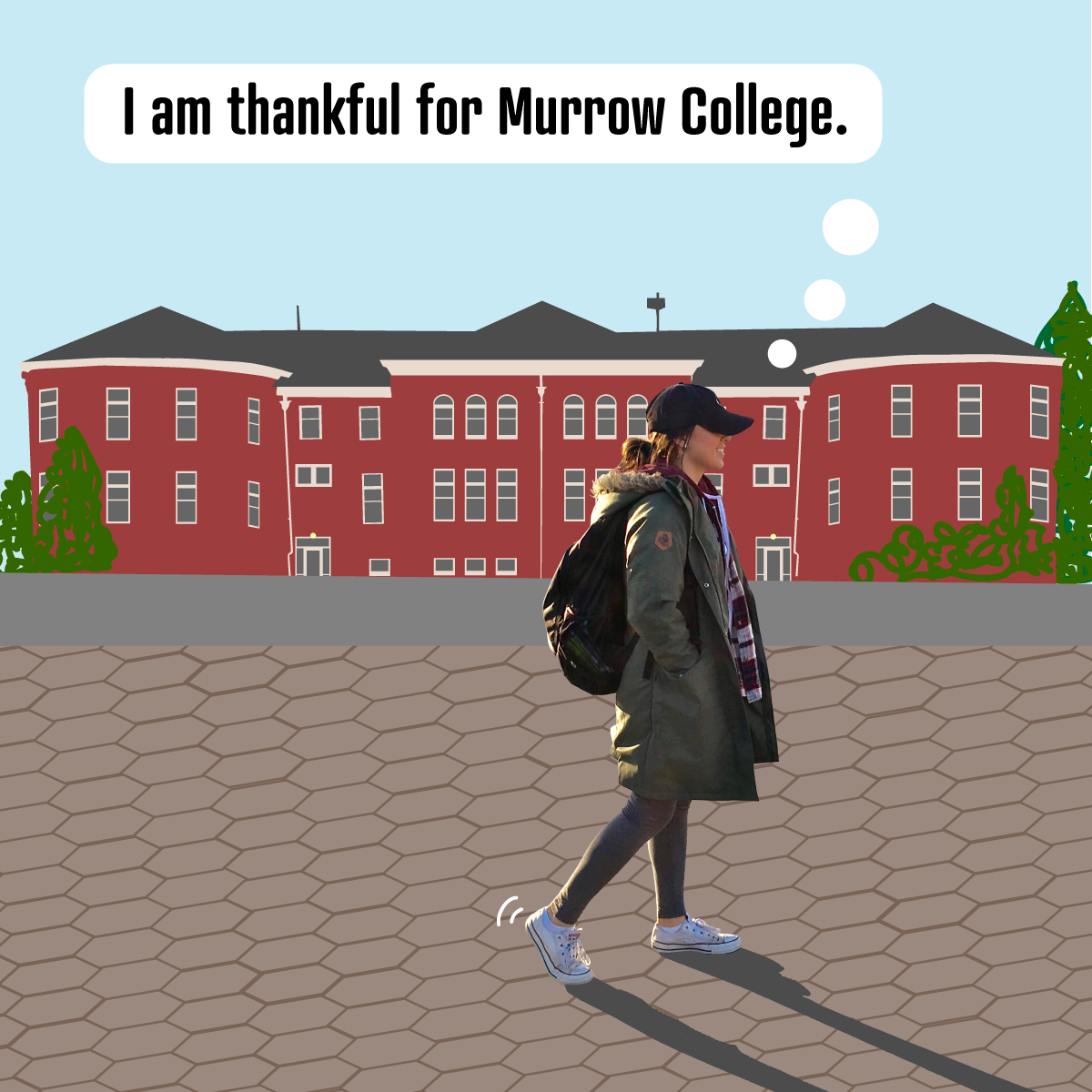
I am thankful for Murrow College.

By: Ana Maria Alaniz Mendoza // This is one of eight scenes in my digital comic. If you’d like to see the rest, feel free to follow the link posted at the top of this blog post!

The current possibilities of my webcomic include scrolling down a single file group of two scenes where multiple parts of the comic can be analyzed at once. Viewers also have the option of clicking on each comic to see each scene up closure and clicking from the left or right to move to the next or current scene. The major limitation that I had to take into consideration was that on smaller devices, like my phone, not all of the images look perfectly clear even though I used high resolution.

WordPress did that by default and on a computer screen, all of the images look better. All of my scenes flow from left to right and top to bottom. My use of linguistic mode also helps to guide readers through the comic. My panels are very uniform because I used WordPress’ square grid option which made all the gutters equal and precise. Scott McCloud might say my comic is an interesting mix between real-life pixel-based graphics and cartoon settings.

I used photoshop to cut myself out of photos and then I placed those PSD filed into Illustrator where I created a vector-based setting. During my freshman year, I had a friend who would do this a lot just for fun. He would create funny cut-outs of himself to be silly and make people laugh. Often times, people could very much relate to the scenes he made which is why they were such a hoot. I wanted to try this tactic out myself. I used WordPress for this comic because I liked the option of creating a square gride and then allowing users to click on each photo. I wouldn’t be able to code that with HTML and CSS in the time span/skill level I am currently at.

WordPress doesn’t display Adobe files or PDF’s so I uploaded high-quality 1200X1200 pixel JPG’s that I exported for Adobe Ai. I learned more about exporting settings in both Illustrator and Photoshop. There are so many options and I had a few questions about image quality and why resolution requirements change depending on the situation.


Posted in Fall 2019 Archive (201 Blog), Uncategorized | Leave a comment