Final Digital Comics Collage: Jon Klaveano

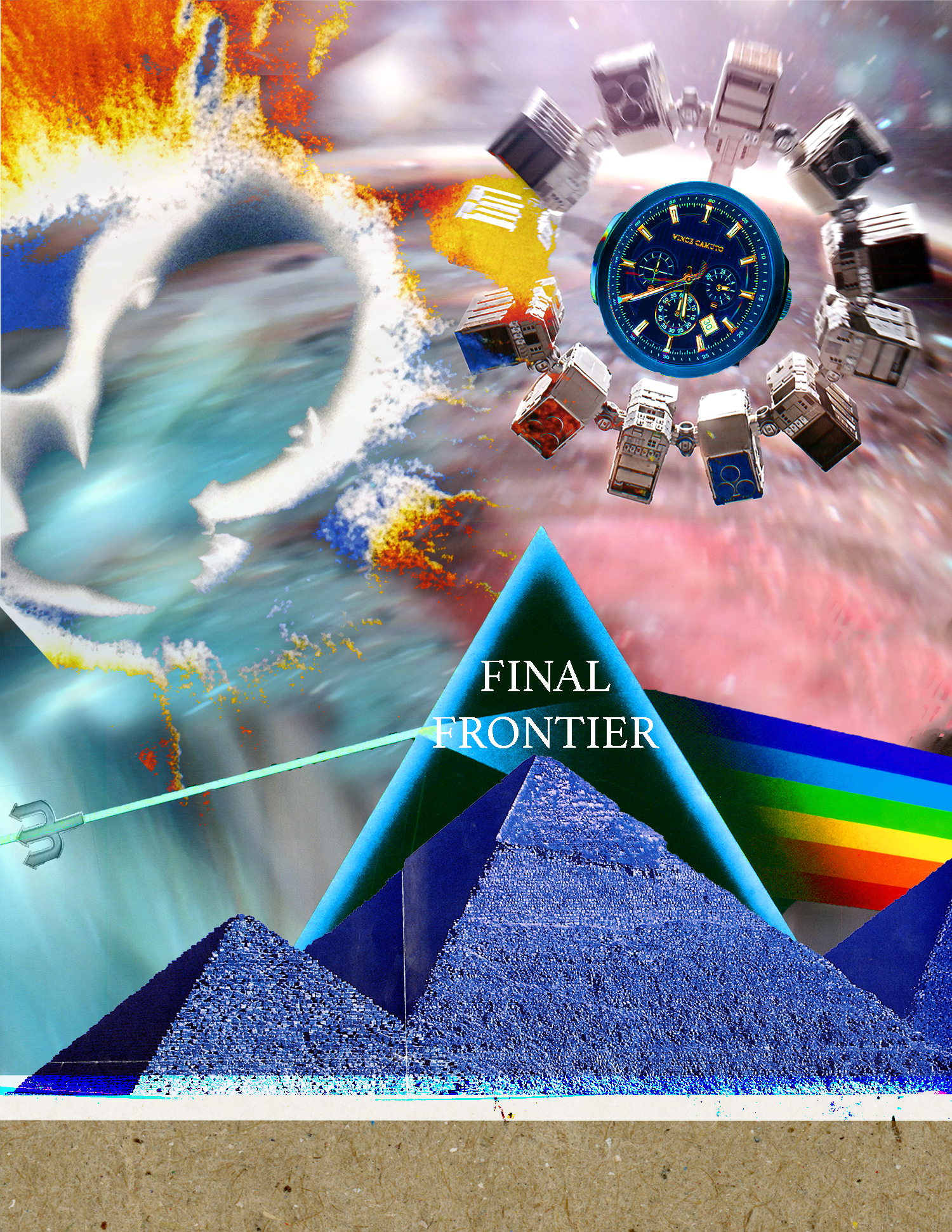
Designed by Jon Klaveano, October 2019/ Space

I did a ton of planning and thinking before starting this  assignment.  I can honestly say my project did not turn out how I had first imagined. Leading into the assignment I was pretty flustered because the assignment was so free to each individuals interpretation. I saw other students examples in class and it made me even more confused on what I should attempt to do with this project. Thankfully though after speaking with my teacher I found my inspiration and was able to hit the ground running on this assignment. My original plan for this assignment was to combine my many movie posters together in an attempt to create a mashup of all my favorite movies.  As you can see that didn’t really end up taking shape. The reason for that being that after combining two of the movie posters (Interstellar, 2001: A Space Odyssey) I found new inspiration and ran with it. McCloud’s definition of a comic is “juxtaposed pictorial and other images in delebriate sequence, intended to convey information and/or to produce an aesthetic response in the viewer.” I believe my comic collage fits into this definition in the fact that it screams space, and that is exactly what I wanted. If the viewer has seen either of the movies Interstellar or 2001: A Space Odyssey they will know the connection between the objects I have included in my project and space. The images included in the project are also deliberately placed in there specific locations to create a better sense of continuity. This idea of continuity is something I considered after looking over John Lovett’s design overview. The overview really helped me to consider things like texture, color, balance, repetition, and finally contrast while making this project. The words I used in my project “Final Frontier” came after its completion. I was sitting there thinking of how I could really reveal my projects overall theme. I was inspired after looking at my two movie posters and realizing the words they used were so crucial to the overall aesthetic. The location of where to put the words was what really took sometime. I have used photoshop in previous classes and I would say that is the extent of my experience in photoshop. That being said I have used the software a handful of times. I can honestly say I learned a lot this time through after watching a ton of the tutorials. This was super valuable when it came time to make my project. I used tools such as Color brush, layer blend, layer mask, free transform, filter gallery, spot healing brush, quick selection, eye dropper, and clone stamp. I really enjoyed playing around with the opacity of certain objects in my project, and then applying filters over them. With certain objects I modified the hue/saturation so it would fit with my color scheme better. I enjoyed making this project on digital. I think it allows for people to be more artistic and opens doors to countless possibilities.

Posted in Fall 2019 Archive (201 Blog) | Leave a comment

Final Digital Comics Collage: Bobby Brown

I created my comic strongly from a creative perspective. I wanted to convey the idea of creativity, and how music can play a large part in that; both while listening to it, and while writing it. I used pieces of my shirts fabric to create the background, and used pieces of my handcrafted Zine and other artworks to create the text and other pieces of my comic.

My final digital comic collage I created in Photoshop.

While I enjoyed Scott McCloud’s work in “Understanding Comics,” I found myself inspired by the work of Lynda Barry’s “What It Is.” I wanted to both convey information as well as produce an aesthetic response from anyone who views it, so I chose to focus the majority of my time on making my collage materials work well together in a sequence.There were many different iterations of my comic with slight variations before I settled on this one, but I’m pleased with the way it turned out. There were a handful of points throughout the creation of my comic where I referenced John Lovett’s “Design Overview” to get an idea of what I should be doing in order to make my collage materials blend well. Aspects such as line, shape, and size were always a thought in the back of my mind as I laid out all the pieces of my collage in Photoshop. I also felt like I made good use of the texture aspect with all the hand-drawn materials I scanned in. The textual elements of my comic are half digital and half handcrafted. I created the text using the text tool in Photoshop, then using the text selection I applied them to a layer mask of my hand-drawn work, creating the final look. Overall, I feel like my materials and textures of my comic work well together, and I’m pleased with it as a whole.


While this was not my first time using Photoshop, I wouldn’t consider myself a pro by any means. The tutorials I watched to prepare for this project also introduced me to new aspects of Photoshop that I was unaware how to use before. One method that I struggled with at first, was that of layer masking. Initially I didn’t understand just how powerful they were, and always resorted to erasing pieces of my layers rather than masking them out, and painting over parts of my selection with the paint-brush tool was somewhat confusing. However once I understood how to use them, I was happy with what I was able to create. Overall I enjoyed composing in a digital environment, but it was somewhat daunting at times when I was having to learn new tools and methods.

Posted in Fall 2019 Archive (201 Blog) | Leave a comment

Final Digital Comic Collage: Sydney Seay


This image is the digital comic collage about my life I have created for project 1 in DTC 201 Fall of 2019.

My comic has multiple images in from different mediums strategically placed to tell a story of the things in my life that are most important to me. The images are not in the order you would usually read in, however the sizes draw the readers eyes in a sequence of the images. The denim background is meant to give the readers the comfortable and laid-back feeling because many people associate denim with relaxation and coziness. I chose a lot of fabric pieces because people can identify with what fabric feels like. When they see the scrunchie that is the velvety fabric people immediately can connect with it. We all have had or seen a tassel, which is not only a touch feeling, but also allows the reader to connect with what they felt when they wore or were around a tassel. The Cougar logo is from one of my favorite shirts, and when looked and closely or zoomed in the fabric underneath the white fabric paint can be seen. I chose to include a medal because I felt it was different than many of the other approaches I had used so far. Using the Polaroid picture is not only meant to show the character of the picture, but also that my family is timeless to me. Most people associate polaroid’s with old, which in essence is timeless. The handwriting I layered on top of the picture is from a note my mom wrote me, and again when zoomed in the fibers of the paper are visible.


Working in photoshop was a huge challenge for me. I am completely new to the program, so even the most-simple of tasks were hard for me. I feel more comfortable in the program after this assignment and the tutorials, however I still feel I have a lot to accomplish. The magic wand to make selections, the background eraser to fix the wands mistakes, and the brush tool to perfect the edges of selections were the most useful to me in this collage. Photoshop in general is still confusing to me, but it is getting better. I do like composing in a digital environment better than by hand, but I am not an artistic person and I am not a huge fan on these types of assignments.

Posted in Fall 2019 Archive (201 Blog) | Leave a comment

final Digital Collage Matthew Mollet

PROJECT ONE LOW RES

My creative motivation came from Lynda Barry’s “What it is”. I liked her rough texture and how she used handwritten letters for her linguistic elements. I had trouble coming up with a topic for my collage so I also used her idea of drawing as the subject. I hope the reader will see that my collage is meant to be rough looking. My idea for the design of the collage was what a person might put into a book or a locker, something that they add to as they go on with no designated design in mind.

My collage fits McCloud’s definition of comic because it is a juxtaposition of images, although there is no real form to it. My linguistic mode was meant to be convey someone writing in a notebook, like they were drawing in their class notes or a journal. As for Lovett’s overview, my texture was rough and the sizes were scattered.

I have used Photoshop before but I have never made a collage with it (usually only for my AMDT classes). I do enjoy working on a digital environment though because you can add seemingly endless details and use practically  any art form.

Posted in Uncategorized | Leave a comment

Final Digital Comic Collage: Mareenah Galang

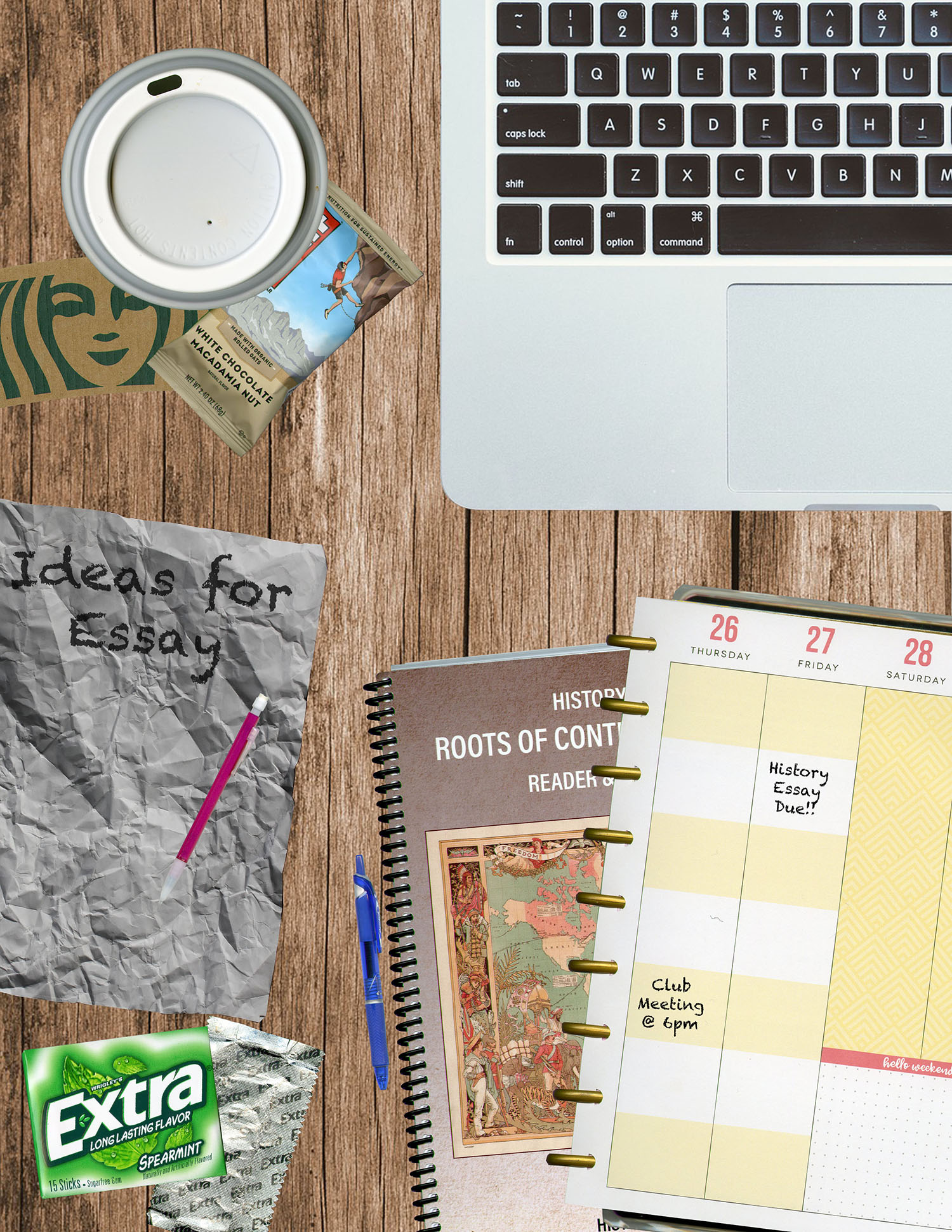
For my digital comic collage, I was inspired by my own experience when it comes to my homework, an experience many other college students likely have as well. I often set up my own space and have everything I need all over the place whenever I am trying to work on an assignment or study. I tried to recreate that experience in my comic collage. 

My comic collage fits McCloud’s definition of comics because it conveys the message/story of someone working on an assignment. After looking at the individual items and piecing them together, the viewer can get this message. Starting with the laptop, coffee, and books, one can tell that there is likely some work or assignment being done. Looking closer at the books, it is a history textbook and a planner with the due date of the assignment. There is also the crumpled up paper that states “Ideas for Essay.” In addition, the granola bar, gum, and pen/pencil, are all typical items I usually have with me in my backpack. Although my comic collage is much less linear than the traditional comic, there is still a story being told behind it all. 

I learned quite a bit from John Lovett’s Design Overview and kept it in mind when making my collage. It said to make sure to take advantage of the textural element, as a; surfaces have some sort of texture. I made sure to include items in my project with an interesting texture, such as the gum wrapper and crumpled paper. I also made sure to pay attention to the visual balance in the size of the objects in my project, because that is what draws the reader to certain elements in my piece. At first, the viewer might see the laptop and books, and infer something from that. Then, they might look closer at the smaller objects and notice the little details that complete the story. John Lovett’s Design Overview says that visual balance is one of the most important aspects of a design. 

I used a variety of materials, objects, and textures throughout my work. The items I selected added interesting elements and dimension to my project. The way that I juxtaposed the items helped to make the project look realistic. As for my use of linguistic mode, I intentionally chose a font that would look as if it was handwritten. I think this helped to tell my story better and look more realistic. 

Before this semester, I had very little experience in Photoshop. I tried using a few times in high school, but was overwhelmed with the vast amount of tools it contained. However, through watching the tutorials from this class, as well as COM210, I have learned many different techniques and skills for Photoshop. I actually just finished up a Photoshop project in COM210 before starting my DTC201 project, so it was nice to be a little more familiar with the tools when I started the Digital Comic Collage.

The most useful tutorials for me were the videos that explained selections. Since I needed to get rid of the background in order to single out the item I scanned, those videos were particularly helpful. I especially liked the brush tool to clean up the areas I selected. 

I love using digital programs to create different content, such as the Digital Comic Collage, due to the endless amount of tools and resources all on a screen, right in front of me. I also love the convenience of easily being able to undo or redo steps and make changes. 

Posted in Fall 2019 Archive (201 Blog) | Leave a comment

Final Digital Comic Collage: Cierra Haken


When I began on my digital comic collage, I wasn’t sure how I wanted to portray my idea, but I did know that I wanted to use items from my everyday life, whether that be a hair scarf, lip balm, or small signs and prints that I have hanging in my room to always remind me to stay positive. I placed each of my scans/selections into my collage in a way that makes the eye wander through the juxtaposed images. This makes my collage look as though there is a kind of sequence even when it might look random. This follows along with Scott McCloud’s definition of comics because there are juxtaposed images placed in a way that shows my message of self-care and self-love. I also used the design elements of texture, color and shape along with the design principles of movement, variety, and harmony, mentioned in John Lovette’s “Design Overview.” Each of these helped me make my collage look balanced and clear to the viewer.

Digital Comic Collage: By Cierra Haken. Fall 2019

The items that I ended up using for my background consisted of my crumpled-up tracing paper, and two images from a book of artist, Harry Bertioa’s works. These images layered well as a nice black background that had interesting details but was not too distracting. I then used objects such as my lip balm, hair scarf, beauty bag, and fake plants to add texture and contrast to the black background. I then used 4 scans of images with small quotes that added some context to my other scans. Each of the quotes had to do with staying positive and always looking up. These, along with my simple Beauty items shows my message of how I partake in self-care and self-love. I also took the “smile often” scan and brought out the yellow lines to the edges of the page to add an idea of defined areas in my collage.

This was not my first time using Photoshop. I am in a design communication class for interior Design, and we have done 5 big projects so far using Photoshop, Illustrator and InDesign, so I have learned how to use each of these programs fairly quickly in the past 7 weeks. One thing I did learn while creating this collage was how to use the stamp tool. When continuing on with the yellow line from the “smile often,” I used the stamp tool to get the pattern of the background to make the lines blend together without having an awkward corner from my line showing. Other tools I found useful, included the quick selection tool, the polygonal selection tool, and blending between layers tool, to make some of the effects. Because I had used each of these tools before for my 5 previous projects in ID 197, I had little confusion, and the project came together fairly easy. I really enjoy creating digital art, and I think if I were to do this project again, I would like to go a little more complex, but all while using Illustrator or InDesign which I find easier to use while creating projects like this with many layers.

Posted in Fall 2019 Archive (201 Blog) | Leave a comment

Final Digital Comic Collage: Phuc Tran


Final Digital Comic Collage

Final Digital Comic Collage by Phuc Tran. October 2019

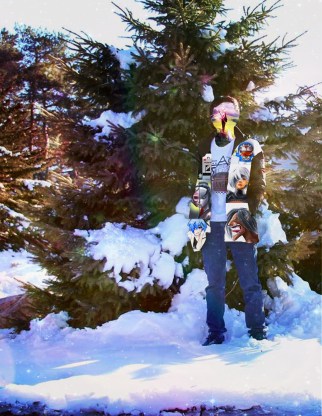
In the future, I want to make a living with something related to designing. Drawing is what I usually do as a hobby and also a way for me to practice for the future. That is why I decided to use my drawing pieces for this project. My project fit McCloud definition because by looking at it, I can tell a story of how my skill has evolved overtime, since I tried to put those drawings in a specific order based on the time when did I make each piece. By using John Lovett’s principle about shape, value, color and repetition in the layout of images I made. What my idea is I created the images collage with in the shape in my face and coat. It means that the pieces I made is part of my story and they are belong to me. Especially, the image for my face is a poster I bought from one of my favorite artist, this demonstrate the goal I want to archive which is already set in my mind. In the end, because the images look a little bit odd compare to the background, so I add an colorful picture of the galaxy and blend in to make it looks more fit to each other.

This is not my first time using Photoshop. In fact, I use Photoshop to draw and play with it as a hobby like Photoshop manipulation or simply editing picture. I also had COM 210 last semester when we study Photoshop as the first section. Although I believe using this is unnecessary for my project since it might distorted my drawing, what I learned that was new is sharpening the images with the filter, this might be useful for increasing the outline of a low quality image. I think that layer masking is very helpful in making a images collage as we can organize them easier and also blend mode which help my overall piece has a more good-looking vibe. Additionally, I can see that different blend modes are really powerful in the tutorial.

I enjoy composing in a digital environment and had some fun with this project. Editing is always fascinating for me, especially I want to train the skill and use it in my future career.

Posted in Fall 2019 Archive (201 Blog), Uncategorized | Leave a comment

Final Digital Comic Collage: Min Kim

A composition on the reflection of the first assignments to draw a comic digitally and by hand. Collage by Min Kim, October 2019

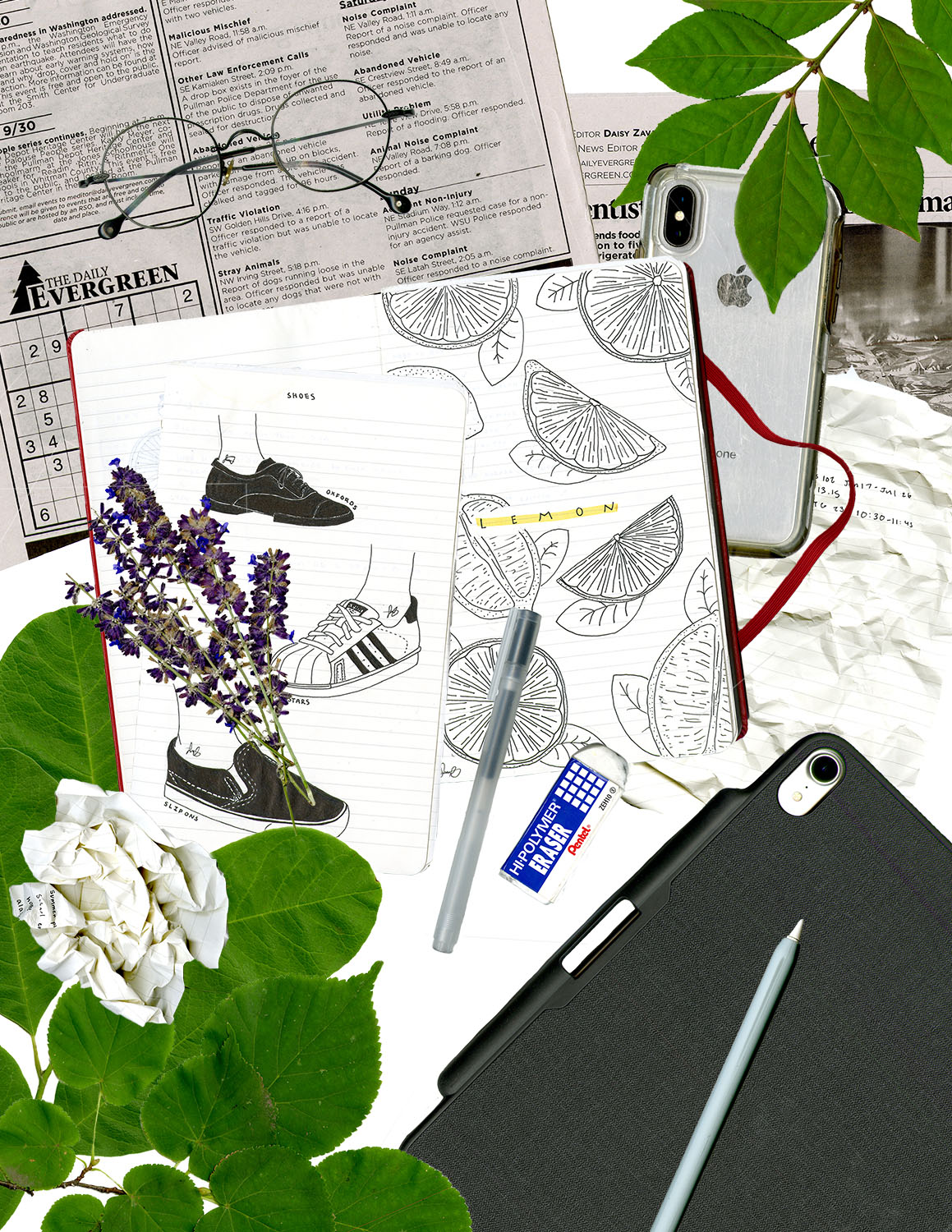
When thinking about my collage and specifically the message I wanted to convey, I decided to do an aesthetic representation and reflection of myself on the first few assignments of this course: digital and hand-drawn comics.

Beginning with Scott McCloud’s definition of comics, to create the distinction of digital versus conventional, I explicitly juxtaposed images of the digital tools that I use (such as my iPhone and tablet) and a couple drawings from my journal. Influenced by John Lovett’s Design Overview, I centered my hand-drawn pieces and papers in the center to emphasize the origins of my interest in drawing by hand. Since this was also a personal piece, I included objects that identified myself and my personality through the placement of my recognizable glasses and newspapers for my avocation of reading.  In addition, seeing that the early layout of my collage severely lacked color, I contrasted the prevalent black and white tones with vibrant textured green leaves to make my piece both more visually appealing and to negate the monotonous repetition of (lack of) colors. Not only for color and diverse texture, the placement of the leaves in the corners also creates a sense of balance in the collage as well. Furthermore, the crumpled paper not only serves as a textural element but also provides meaning in the struggles making errors in hand-drawn pictures and the lavender adds a soft and feminine flair.

In my experience creating this collage with photoshop, I have learn many new techniques and tools despite having used photoshop before; however, with my previous uses with photoshop, I had only used simple tools for enhancing photographs. The tutorials enabled me to use layer masks in this project and how to use them. In my collage above I used them to add dimension to my work by having some leaves overlap parts of other objects. Overall, I thoroughly enjoyed composing in a digital environment because it allowed me to construct and manipulate an aesthetic piece of work using new skills, tools, and mediums.

Posted in Fall 2019 Archive (201 Blog), Uncategorized | Leave a comment

Final Digital Comic Collage: Keanna Maki

Comic Collage Project. By Keanna Maki.

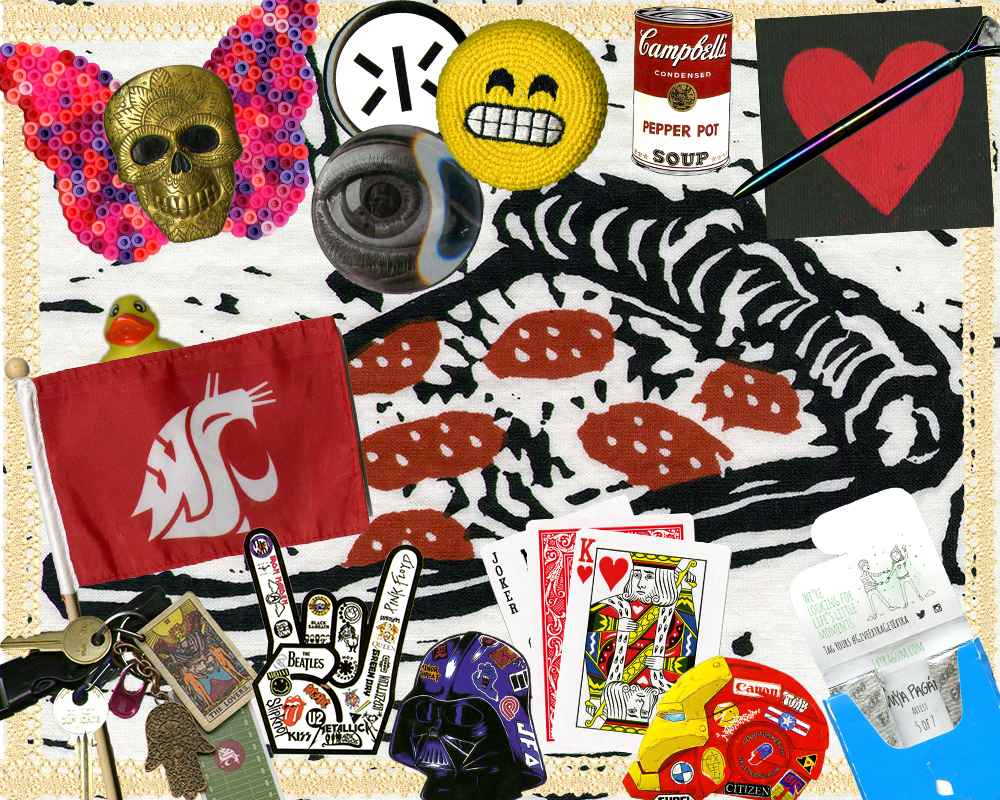
Creating this comic was definitely a unique experience I will always remember. I was able to learn so many new things which was the greatest takeaway from completing this project. My motivations for creating this piece was to simply take personal objects and put them in this random collage with no particular sequence to it. I took an idea of randomness and applied it to my objects. I was trying my best to capture an aesthetic look to my comic and I think I fulfilled that through the materials I used.

My comic fits into Scott McCloud’s definition of comics because it does capture the whole “juxtaposed pictorial” as well as “producing an aesthetic response on the viewer”. Particularly, within the colors and positions of the materials I used. Knowing about other readings such as John Lovett’s Design Overview, I was more aware of the importance of making the texture to certain materials as clear as possible. I also used information to allow creative thinking with what I should and shouldn’t include or what looks best overall.

The more materials, objects, textures, and images used, the more a collage becomes a collage. Even the definition of collage states “a piece of art made by sticking various different materials such as photographs and pieces of paper or fabric on to a backing” (Google Definition). I focused on adding as much objects of all kinds to include in my work. For this comic specifically, I didn’t choose the linguistic route. If I thought outside the box more, I would’ve included something linguistic, but for this project I decided to stick with what I have.

This is not my first-time using Photoshop, but the last time I used it to its full extent was back in high school when I was taking a yearbook/journalism course that pushed me to master the basic skills. Of course, after four years without using Photoshop, I can say everything I am working with now is a refresher and I feel like I am learning how to use it all over again. New things I have been learning include the shortcuts to certain options. This is significant because it makes editing easier and quicker too.

The tools and techniques from the tutorials that were most useful in the creation of my collage were the ones that went into the actual editing of the documents. I feel that there is an infinite amount of tools Photoshop offers so knowing main ones like how to delete borders or backgrounds is the most significant, especially for this project too. Something that was confusing was memorizing all the tools Photoshop offers. Sometimes I would think a certain selection would give me a certain result, but it didn’t, so I would struggle a lot finding the exact tool I was looking for.

Composing in a digital environment makes creativity soar. Especially, when you are able to have access to resources such as Adobe programs. The digital environment is endless in the ideas someone can create. Although, it may come with challenges at first, like figuring out how to use digital tools, it has many benefits and can take projects to the next level.

Posted in Fall 2019 Archive (201 Blog) | Leave a comment

Final Digital Comic Collage: Dahlia Xie

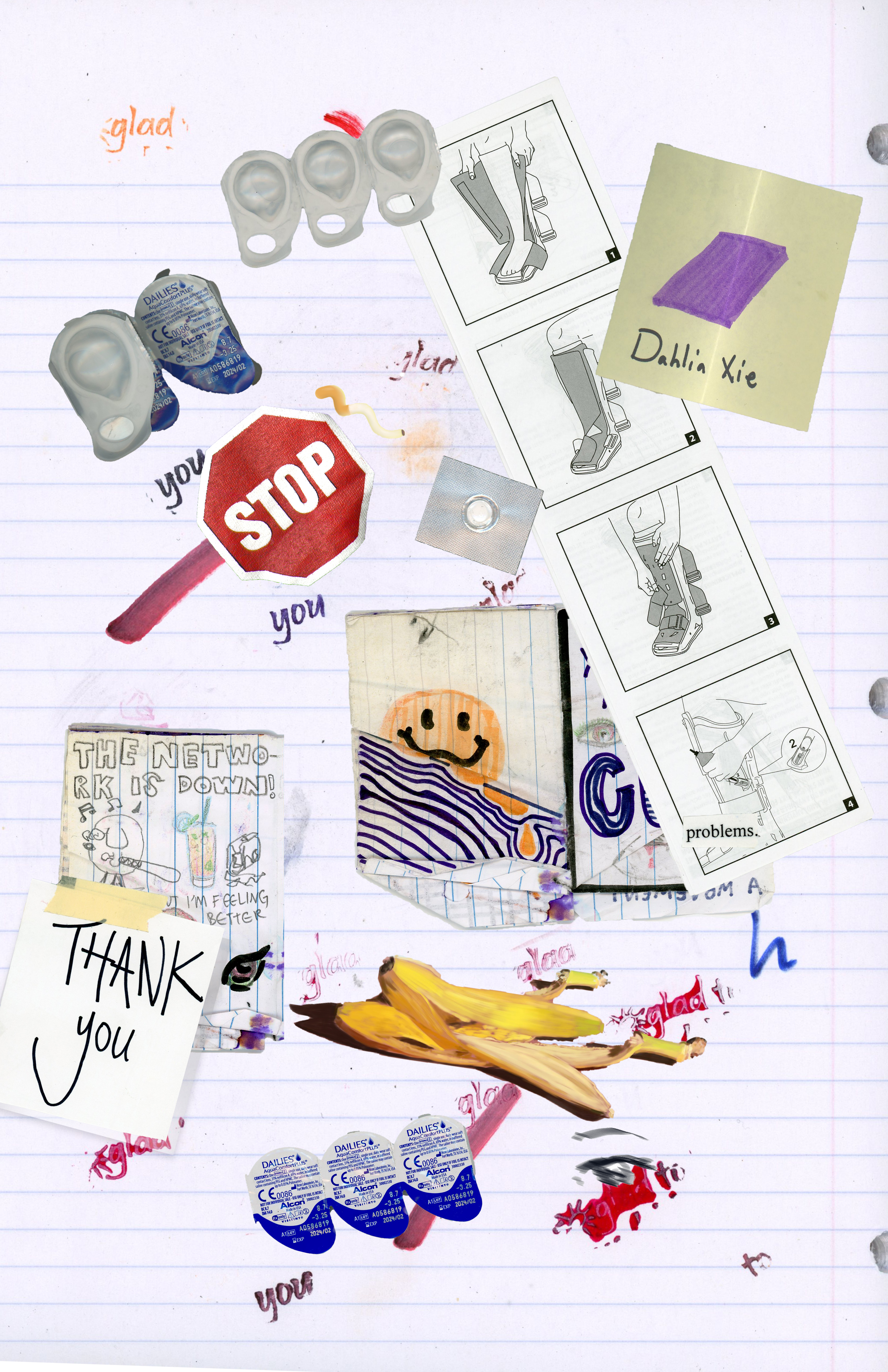
The first items that I scanned for project one were items that were related to clubs that I have been involved in. I scanned in a Math Olympiad T-Shirt from 5th grade and a KZUU chapstick. They were items that I felt represented a little bit of who I am as a person but while creating my digital collage, I realized that they weren’t items that I wanted to emphasize.

DTC201 Project 1: Digital Comic Collage

DTC201 Project 1: Digital Comic Collage

I felt like I had tried too hard to curate the items in my collage and I decided that I wanted to make my project more organically. I ended up going to the Avery computer lab and scanning in various items that I found in my backpack. I tend to throw a lot of random things in my backpack so it was relatively easy to find items to scan.

I appreciate chaotic art that sometimes doesn’t make sense until you look at specific pieces and I tried to incorporate that into my digital comic. I wanted to emphasize the part of McCloud’s definition of comics to “produce an aesthetic response to the viewer” (McCloud, page 9). I found a crumbled up zine at the bottom of my backpack that I had drawn for fun last semester and scanned that in along with some other items with text. I hoped that the relationship between text and images would provoke some response from the viewer.  I also used some digital drawings that I had made on my laptop to create a contrast in media in the comic. Some key sections of the comic that I put more thought into making were the sections with the stop sign and the eye at the bottom.

Stop sign section of the collage

Eye section of the collage

They are parts of the collage that I really enjoyed making because I feel like the longer you look at them the more things you’ll notice and appreciate.

I tried creating a little bit of dominance in sizes by making the image of the boot instructions larger than the other items, but I wasn’t exactly sure what images I wanted to emphasize. In addition, I liked adding a variety of depth and texture to the images. I created a drop shadow layer mask for the Thank You note and I used the old zine that showed a lot of wear and aging to the paper. I juxtaposed some of my digital art with items I scanned in. For example, in the stop sign section of the collage, I added a drawing I made of a mishappen cigarette next to a piece of medicine that I scanned in. I placed those two images next to a stop sign that I scanned in from my Math Olympiad T-Shirt. I tried to create a D.A.R.E aesthetic by combing the images of drugs and a stop sign.

A paper collage that I created over the summer

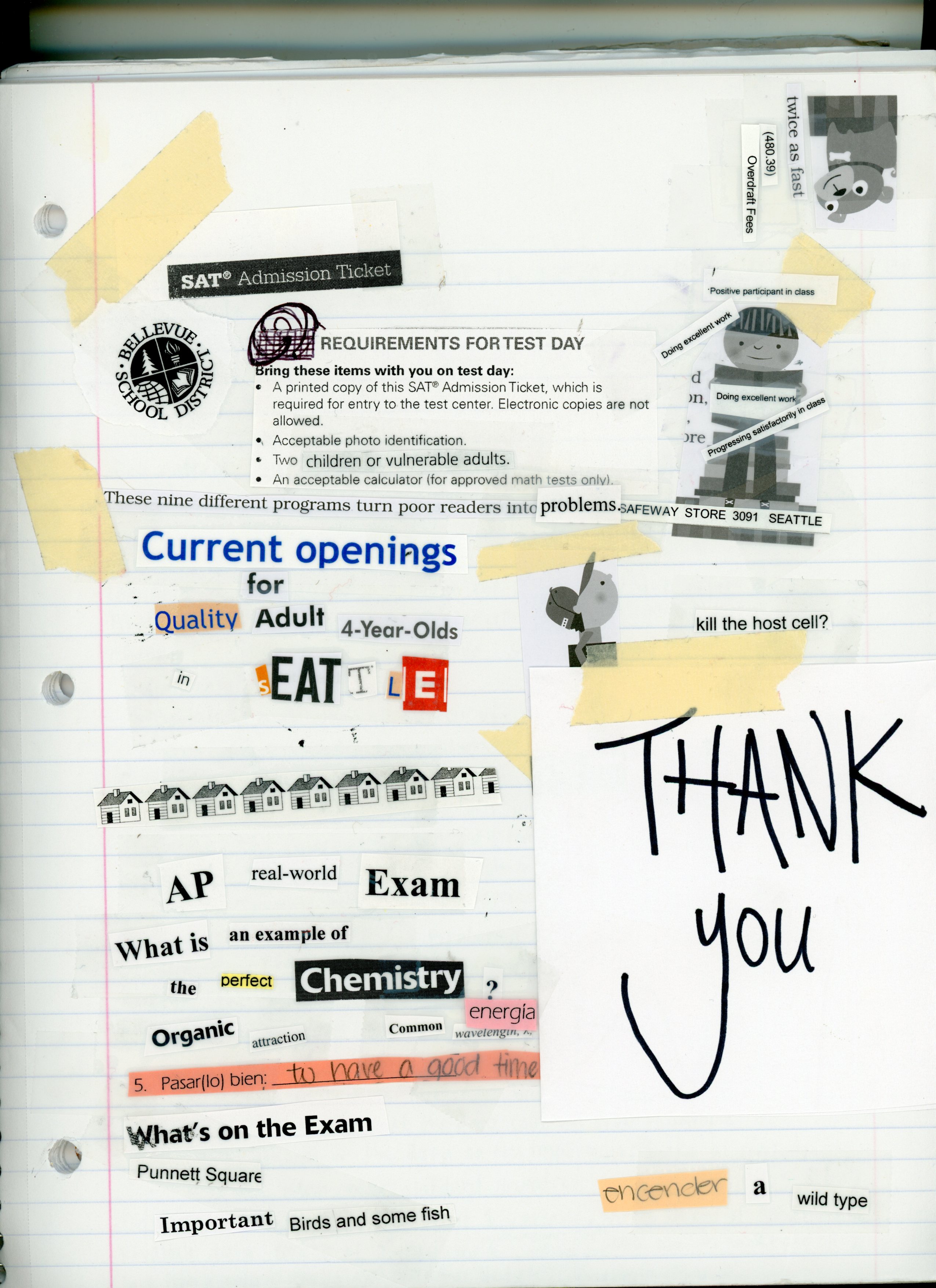
For the linguistical representation in my comic, I scanned in a variety of different writings. I used images with my own handwriting, things that other people have written for me, and text from the newspaper. While intensely decluttering my room over the summer, I actually created a, arguably bad, paper collage with cutouts from magazines, newspapers, AP/SAT books, and High School homework assignments, and I decided to scan that in. Although I didn’t integrate many pieces from the paper collage into my digital one, already having a collage with many different items on it was really useful when making my collage. Over the summer, I also experimented with stamps and stamping ink on clothes. I tested my prints on notebook paper to see how they’d look before stamping them on a shirt. I found the paper I used to test the stamps in the back of my notebook and I ended up scanning the page in and making it the background image for my collage. The stamp that I had used said something along the lines of “I’m glad to have you as a friend” with a sun at the top and flowers in the foreground. For my shirt, I was trying to isolate certain words in the stamp which is why the words “glad” and “you” are stamped randomly across the page with some hints of the sun in certain stamps.

This was my first time using Photoshop and there was definitely a steep learning curve for me. Thankfully, the photoshop tutorials were extremely helpful resources and if I couldn’t find the tutorial for a certain task I was trying to achieve, solutions were easily accessible online. Layer masking was definitely the most useful tool for creating my collage, it took me a while to figure out how to use it and isolate the parts of the images that I wanted to keep but after figuring it out it was a breeze.  I really enjoyed experimenting with different aspects of Photoshop like using layer masks for shadows. Creating this comic in a digital environment was really fun. Over the weekend, I even made multiple digital comics on my phone and in Photoshop as recaps of my summer with photos that I had on my phone. I might even say that I’ve been almost having an addiction to collaging at this point… Although I definitely haven’t utilized Photoshop to its fullest potential since I’ve almost exclusively been using the layer masking tool, It’s been really fun to just create random things with the skills that I have developed in the software.

Posted in Fall 2019 Archive (201 Blog), Sample Posts by Students | Leave a comment